

Introduction
Introduction
Let's be real. Five years ago, the creator complaint was “there's no good tool for this.” Today the complaint is the opposite: there are too many tools, and they do not talk to each other.
You have one app for editing, one for clipping, one for design, one for your newsletter, one for scheduling, one for analytics. Each is fine. Together they are a mess of copy-paste, exports, and tabs.
Here's the truth: adding a tenth tool will not fix that. A better workflow will.
That is the real shift happening in creator tools right now — and it has a name.
From Single-Purpose Apps to Agentic Workflows
The big change in 2026 is that tools are becoming agentic. Agentic tools are AI systems you can direct in natural language to carry out multi-step tasks across an app or several apps — instead of doing one isolated action and stopping. You describe the outcome; the tool works through the steps; you review and approve.
On April 15, 2026, Adobe announced Firefly AI Assistant, powered by its creative agent, to coordinate creative workflows through conversation. Adobe's current beta documentation describes image, video, and design capabilities. Check the current FAQ for availability and limitations before designing a workflow around a specific feature.
That is the pattern: less clicking through menus, more directing a workflow.
What an Agentic Creator Tool Stack Actually Means
Do not overthink the word “agentic.” For a creator, it means three things: you give a clear instruction in plain language, the tool handles several steps of the busywork, and you review the result before it goes anywhere.
Examples should be checked against current product documentation. OpenAI introduced ChatGPT Work in July 2026 for multi-step work across apps and files. Adobe documents Firefly AI Assistant for creative tasks. These examples illustrate a workflow pattern; they do not imply that every tool has the same permissions, availability, or editing capabilities.
Here's the rule: an agentic stack is not about doing less work. It is about doing less busywork — so your judgment goes where it counts.
The Seven Layers of a Modern Creator Tool Stack
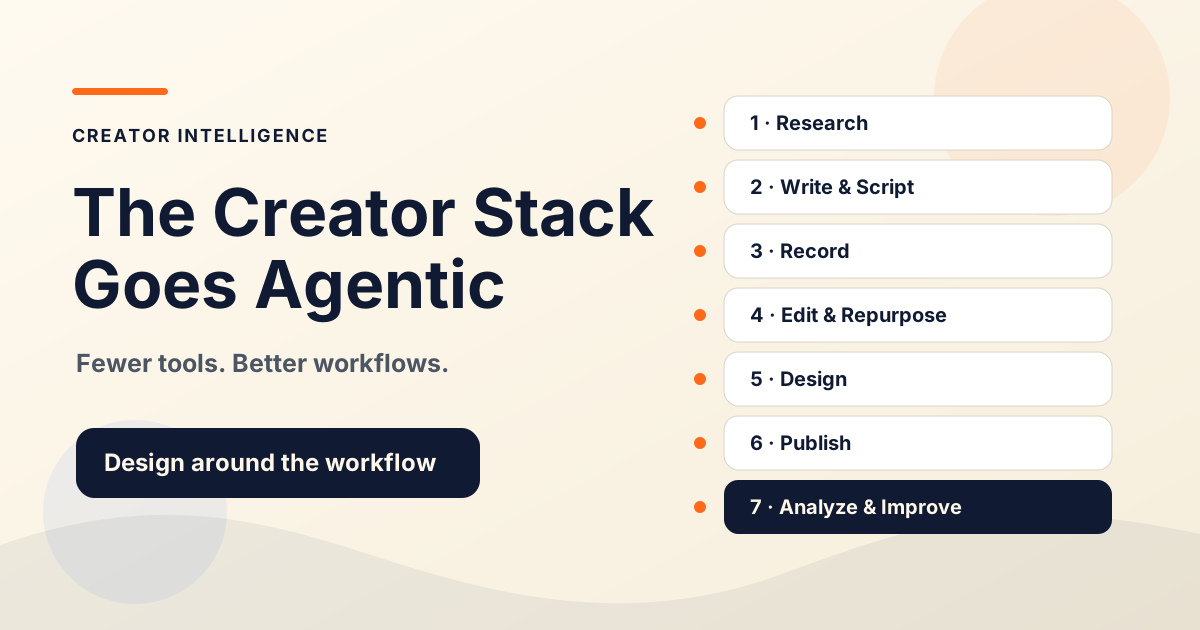
Start by mapping your workflow. The seven layers below are an editorial planning framework, not a product ranking or a claim that every creator needs seven tools. Verify features, plans, and integrations before adopting any service.
Research and idea collection — gathering permitted signals, primary sources, and angles; an assistant can organize material for your review.
Writing and scripting — turning research into drafts, outlines, and scripts, in your voice, with your review.
Recording and production — capturing video, audio, or visuals in a format your editing workflow can use.
Editing and repurposing — preparing captions, checking audio, and adapting a source asset into smaller pieces.
Design and visual systems — creating consistent thumbnails, graphics, and brand assets, then checking them for accuracy and readability.
Publishing and distribution — scheduling approved assets and delivering requested updates through channels you can maintain.
Analytics and workflow improvement — reviewing results and connecting repeatable steps only where the integration is supported and the permissions are appropriate.
Notice the shape: research → produce → publish → improve. The tools are just the parts. The workflow is the system.
How to Choose Tools Without Creating Workflow Chaos
Here's where most creators go wrong. They pick tools by hype, not by workflow. Then they spend more time managing tools than making content.
Use a simple filter before adding anything. The rule is blunt: one new tool should remove more friction than it adds. If it does not, it is clutter.
Does it fix a step I actually repeat? If not, skip it.
Does it connect to the tools around it? A tool that creates more exports is a tax, not a help.
Can I review its output easily? If you cannot check it, you cannot trust it.
Does it replace a tool, or just add one? Prefer consolidation over collection.
Example Stacks for Different Creators
These are category-based, not prescriptive. Your exact tools will vary. The point is the shape.
A research assistant for ideas, a writing tool with heavy personal editing, a newsletter platform for publishing and automation, and simple analytics. Light on video, heavy on writing and audience.
A recording tool, an AI clipping tool to pull shorts from long content, a captioning and editing tool, and a design tool for covers. Built for speed and volume with review.
Research and scripting tools, a recording tool for lessons, an editing tool, and a publishing layer for courses or newsletters. Built for clarity and trust.
Everything above, plus a coding agent like Claude Code for maintaining their own site or simple tools. Only relevant if you own technical assets.
The same layers, plus a workflow-automation tool to connect steps and a clear review checkpoint so AI speed does not outrun quality.
Risks and Guardrails
Agentic tools move fast. That means they can also make mistakes fast. Be honest about that.
Generic output — AI tends toward average; your voice and edit are the differentiator.
Inaccurate claims — always fact-check anything an AI tool produces before publishing.
Over-automation — automating a bad workflow just produces bad content faster.
Permission and privacy risk — give agents the smallest access they need; an editing tool does not need your payment accounts.
Losing the review habit — the moment you stop reviewing is the moment quality slips.
Keep a human approval point at every step that becomes public. Speed is the benefit. Review is the safeguard. You need both.
A Simple Creator Tool Audit
Run this once a quarter. Most creators find they are paying for overlap and friction — cutting that is faster than adding anything new.
List every tool you pay for.
Map each tool to one of the seven workflow layers.
Mark any layer with two or more tools doing the same job.
Mark any tool you have not used in 30 days.
Cancel or consolidate the duplicates and the dead weight.
Note where you copy-paste between tools — that is where a connection or an agent could help.