

Introduction
Introduction
It is tempting to treat an AI video generator like a vending machine: type a prompt, get a clip, repeat until something looks good enough to post. It feels productive. It rarely builds anything you can repeat next week.
Flow, an experimental tool from Google Labs, becomes far more useful the moment you stop chasing single clips and start thinking about a video system — the brief, the visual rules, and the review steps that make a whole series feel like it came from one creator. This guide is about that system, and exactly where Flow fits inside it.
Why video quality is decided before you generate a clip
Most creators try to fix video in the wrong place. They generate or shoot first, then attempt to rescue it in the edit. But the decisions that determine whether a video lands — what it is about, who it is for, what it should feel like, and what a good version even looks like — all happen before a single frame exists. Generation does not make those decisions for you. It just executes whatever direction you gave it, including a vague one.
This is the quiet trap of fast AI video. Because a clip appears in seconds, it is easy to skip the thinking and let the tool improvise. The result is footage that is technically impressive and strategically empty. The creators who get real leverage from Flow are the ones who treat the prompt as the last step of pre-production, not a replacement for it.
Think in sequences and rules, not single clips
A single clip is a moment. A video system is a set of rules that makes every moment feel related. Before generating, decide the things that should stay constant across a series: the visual style, the pacing, the kind of shots you favor, the tone of any narration, and the way a piece opens and closes. Written down, these become a short creative rulebook you can reuse — and reuse is where consistency, and a recognizable style, come from.
Sequences matter too. Instead of asking for one impressive shot, plan the shots a piece actually needs: an opening that earns attention, a middle that carries the idea, and an ending that points somewhere. When you know the sequence first, Flow becomes a way to draft each piece of it quickly, rather than a source of disconnected clips you then try to staple together.
One-off clips vs a repeatable video system
The difference between improvising clips and running a system shows up across every part of the workflow. The table below contrasts the two so you can see where the leverage actually comes from.
Improvised clip generation compared with a repeatable creator video system.
| What changes | One-off clip generation | Repeatable video system |
|---|---|---|
| Starting point | A prompt and a hope | A brief, a shot plan, and visual rules |
| Consistency | Each clip looks like a different creator made it | A recognizable style carries across the series |
| Review | Keep whatever looks good enough | Each draft passes named review gates before it ships |
| Reuse | Start from scratch every time | Rules and templates compound and get faster |
| What you learn | Little beyond this one clip | Which formats and angles actually perform |
A video system from brief to repurposing
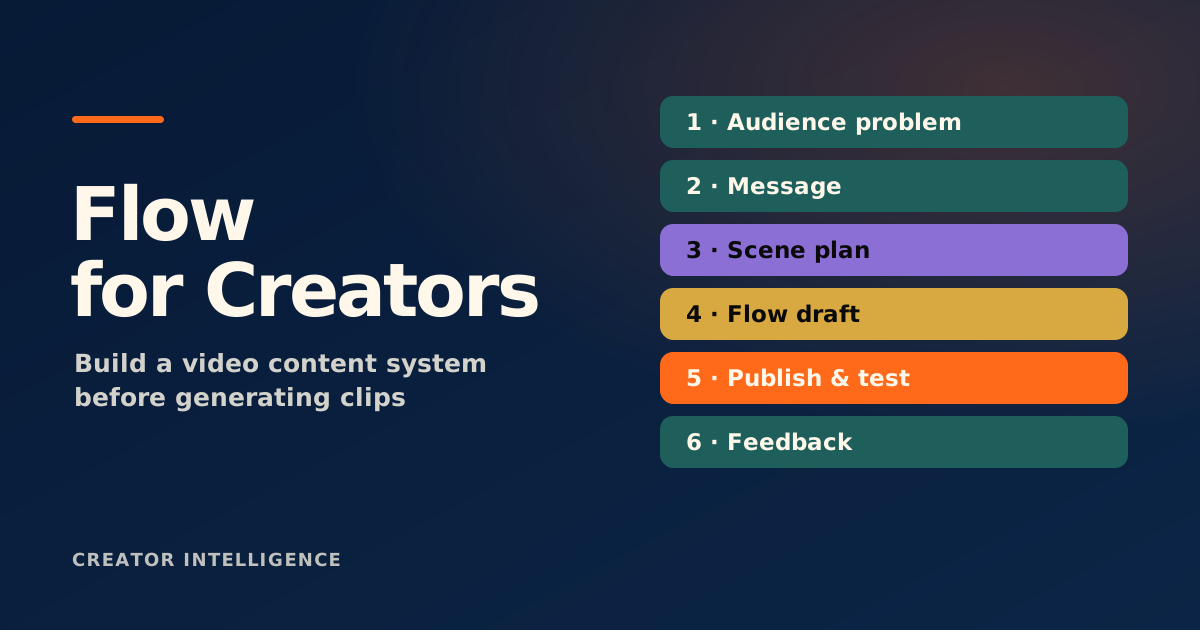
A practical Flow workflow has six stages, and only one of them is generation. You write a short brief that names the audience, the single idea, and the desired feel. You turn that into a scene plan. You set the visual rules that keep the series consistent. You draft with Flow. You review against clear criteria. Then you note how the piece will be repurposed into shorter cuts or other platforms — so one production effort feeds several posts.
The review stage is where most quality is won or lost, so make it explicit rather than a vibe check. Run each draft through a short, fixed set of gates before it earns a place in your calendar.
On-brief: does it deliver the one idea the brief promised, to the right audience?
On-style: does it follow the visual rules, or has it quietly drifted?
Opening: do the first seconds earn continued attention?
Accuracy: is anything implied or stated that is misleading or untrue?
Repurpose-ready: can this be cut down or reused without reshooting the whole thing?
Where Flow still needs a human director
Flow can generate footage; it cannot decide whether a story is worth telling. The judgment calls — is this idea interesting, is the pacing right, does this clip actually feel like you — remain human work, and they are exactly the parts your audience responds to. The tool is a fast drafting partner, not a creative director.
Treat its limits seriously, too. As an experimental tool, its capabilities and availability can change, so build your system around your rules and process rather than around one tool's current features. When a generated clip is wrong — off-tone, off-brand, or just lifeless — the answer is not another generation; it is a clearer brief and a sharper eye.
Keep your creative rulebook and review gates tool-independent so your video system survives changes to any single product. Flow is experimental — its features and availability can change, so confirm current details on the official product page.