

Introduction
Introduction
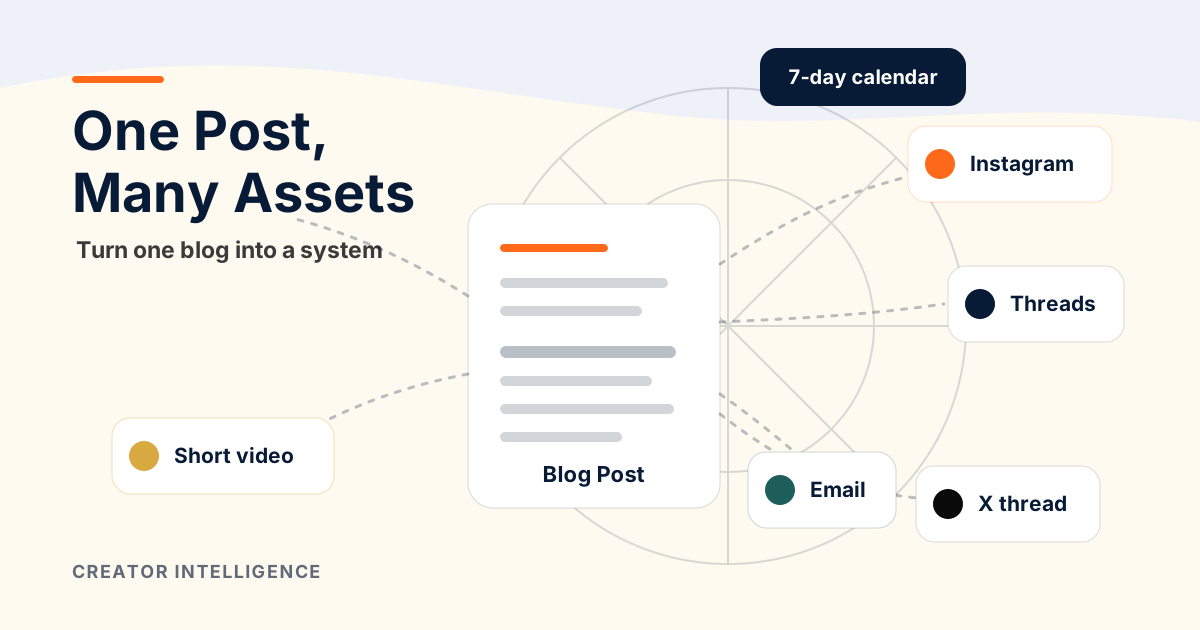
A good blog post is not one asset. It is a content source. Inside it are hooks, definitions, frameworks, objections, examples, and next steps that can become platform-native content for the rest of the week.
The mistake is treating repurposing as copy-paste. A paragraph from a blog rarely works as an Instagram carousel, Threads post, X thread, short video script, or newsletter note without translation.
This guide gives you a practical workflow for turning one long-form idea into a full social content system while keeping your point of view intact.
Why One Blog Post Can Power a Full Content System
A strong blog post already contains the raw material a social system needs: a thesis, structured arguments, definitions, examples, mistakes, a framework, and a final recommendation.
That structure lets you create multiple pieces without inventing a new idea every morning. The blog is the source of truth. Social content becomes distribution, testing, and feedback.
The best creator systems separate thinking from distribution. The blog does the deeper thinking. Social posts translate that thinking into formats people can discover, save, reply to, and share.
The Difference Between Reposting and Repurposing
Reposting means taking the same text or visual and pushing it into another place. It is fast, but it often ignores how people consume each platform.
Repurposing means keeping the idea while changing the format. A blog section might become a five-slide carousel, a personal opinion post, a short script, a question thread, or an email story. Same source, different expression.
The creator advantage is not volume for its own sake. It is consistency without starting from zero.
The translation rule: keep the insight, change the packaging.
The Content Atomization Map
Use this map before you open a calendar. It shows how one long-form section can become several platform-native assets.
A framework for turning long-form sections into platform-native content assets.
| Long-form section | Instagram carousel | Threads post | X thread | Reel/Short idea | Email idea |
|---|---|---|---|---|---|
| Quick answer | 5-slide summary with one clear save-worthy rule | Direct answer plus one example | Short thread: problem, rule, next step | 30-second answer to a common question | Opening note with the core takeaway |
| Definition | What it is / what it is not slides | Plain-language definition post | Myth vs definition thread | On-camera explainer | Educational mini-section |
| Framework | Step-by-step visual map | Numbered framework post | Framework thread with examples | Whiteboard-style breakdown | Deep dive on how to apply it |
| Mistakes | Mistake carousel with fixes | List of traps to avoid | Thread: mistake, consequence, fix | Rapid-fire mistakes video | Personal story about one mistake |
| Example | Before/after card set | Short case breakdown | Thread walking through the example | Screen-recorded walkthrough | Story-led lesson |
| FAQ | Question-answer carousel | Reply-style post | Objection-handling thread | Answer one question on camera | Reader Q&A section |
Step 1: Extract the Core Thesis
Start by writing the post's thesis in one sentence. The thesis is the idea you want the audience to remember even if they forget every detail.
A weak thesis describes the topic: 'This post is about repurposing.' A strong thesis makes a strategic claim: 'A blog post becomes a content system when you translate its sections into platform-native assets and use performance to shape the next post.'
Once the thesis is clear, every social asset should either prove it, teach part of it, challenge a misconception around it, or invite the audience to apply it.
Step 2: Pull 5 Hooks
Hooks are the entry points into the same idea. Pull more than one because different platforms and audience segments respond to different angles.
Problem hook: name the frustration the audience already feels.
Contrarian hook: challenge a common assumption without being performative.
Outcome hook: show the practical result the system creates.
Mistake hook: point to the error that causes wasted work.
Framework hook: promise a clear map or sequence.
Example: 'Your blog post is not finished when it is published. It is finished when it has been translated into the social assets that help people find it.'
Step 3: Turn Sections Into Platform-Native Posts
Now choose the section-to-format match. A definition usually works well as a carousel or short explainer. A framework works as a thread or visual map. A mistake list works as a carousel, short video, or opinion post.
Treat format choices as hypotheses to test with your audience: a carousel can explain a sequence, a discussion post can invite replies, a short video can answer one question, and an email can add context. These are editorial suggestions, not claims about what any platform's ranking system rewards.
Instagram: convert sections into visual steps, mistakes, checklists, or before/after cards.
Threads: write like a useful conversation that can invite replies.
X: compress into a structured thread with one idea per post.
Short video: answer one question or walk through one framework.
Email: connect the idea to a story, example, or decision the reader is making.
Step 4: Create Visual Concepts
Visual concepts make the idea easier to remember. You do not need a new design system for every post; you need repeatable formats.
Map: show the flow from source post to social assets.
Ladder: show stages, maturity, or increasing depth.
Matrix: compare options or decisions.
Checklist: turn a process into scannable action.
Before/after: show the difference between random posting and a system.
For Creator Intelligence-style content, compass lines, dashboard cards, and simple framework tables usually fit better than loud platform graphics.
Step 5: Build a 7-Day Content Calendar
A calendar should vary the angle, not repeat the same claim seven times. Treat the week like a guided path from discovery to trust.
A 7-day calendar for distributing one blog post across social formats.
| Day | Asset | Purpose |
|---|---|---|
| Day 1 | Thesis post or thread | Introduce the core claim and link the idea to a real creator problem. |
| Day 2 | Carousel from the framework | Make the system save-worthy and visual. |
| Day 3 | Short video answer | Explain one question from the post in plain language. |
| Day 4 | Mistake post | Name the trap that keeps creators stuck. |
| Day 5 | Example breakdown | Show how the workflow works in practice. |
| Day 6 | Email note | Add context, story, and a calmer call to action. |
| Day 7 | Question or poll | Collect feedback that informs the next post. |
Step 6: Feed Performance Back Into the Next Post
The system compounds only if you review what happened. Saves tell you what people want to keep. Replies tell you what needs more explanation. Clicks tell you which promise moved people to go deeper. Shares tell you what felt useful enough to pass along.
At the end of the week, collect the strongest hooks, questions, objections, and comments. Those are not just analytics. They are research inputs for the next blog post.
Turn repeated questions into FAQ sections.
Turn objections into future headings.
Turn high-save frameworks into deeper guides.
Turn weak hooks into discarded patterns.
Turn replies into audience language for the next intro.
Example Workflow
Imagine the blog post is about building an owned audience before monetizing. The thesis becomes: 'Attention is rented. Trust is built. Audience ownership is strategy.'
That thesis can become a carousel called 'The Rented Audience Trap,' a Threads post explaining the difference between reach and relationship, an X thread on the audience ownership ladder, a short video answering 'Should I start an email list before I sell?', and an email note about what to build first.
The follow-up question at the end of the week might be: 'What stops you from starting an email list?' The answers become the next guide, prompt, or lead magnet.
AI Prompt Template
Use AI to speed up the translation step, not to replace the thinking. Give the model the source post and specific constraints.
Role: content strategist for a creator education brand. Source: [paste blog post]. Audience: [specific audience]. Task: turn this into a 7-day platform-native content system. Output: 5 hooks, one Instagram carousel outline, one Threads post, one X thread, one Reel/Short script, one email idea, and one feedback question. Constraints: preserve the thesis, avoid hype, keep claims grounded, and do not invent facts not in the source.