

Introduction
Introduction
A lot of creator 'research' is really just recall. You sit down to make something, pull from whatever you happen to remember, and fill the gaps with confident guesses. It is fast, and it is why so much content feels thin and interchangeable — it is not grounded in anything but the creator's own memory.
NotebookLM, from Google, points at a different habit: thinking from sources. You give it your own material and work from that, rather than asking a model to conjure ideas from thin air. This guide is about using it that way — turning real source material into an angle you can actually defend, and being clear about the judgment the tool should never make for you.
Why creator research goes shallow
Shallow research is usually a sourcing problem, not an effort problem. When your inputs are whatever you can remember plus a few half-recalled facts, the output can only be as deep as your memory on that day. It tends toward the generic, because memory favors the things everyone already knows, and it is fragile, because you cannot point to where anything came from.
Detached-from-source thinking also makes you easy to copy and easy to contradict. If your take is built on vibes, it sounds like every other vibe-based take, and it folds the moment someone with actual sources pushes back. Depth and durability both come from the same place: grounding what you say in material you can actually point to.
Thinking from your own sources
Source-grounded thinking inverts the usual workflow. Instead of starting from a blank prompt and asking for ideas, you start from material you have gathered — your notes, transcripts of your own videos, audience comments, interviews, saved research — and you think from that. The model's job is not to be the source of truth; it is to help you see what is in the sources you already trust.
This is why creators have richer raw material than they realize. The questions in your comments, the patterns across your past work, the things your audience says in their own words — these are sources most creators never mine. Putting them where a tool can help you organize and cross-reference them turns scattered material into something you can actually think with.
From source material to a defensible angle
The goal is not a summary; it is an angle you can defend. The example below shows how raw source material becomes a grounded point of view you would be comfortable putting your name on.
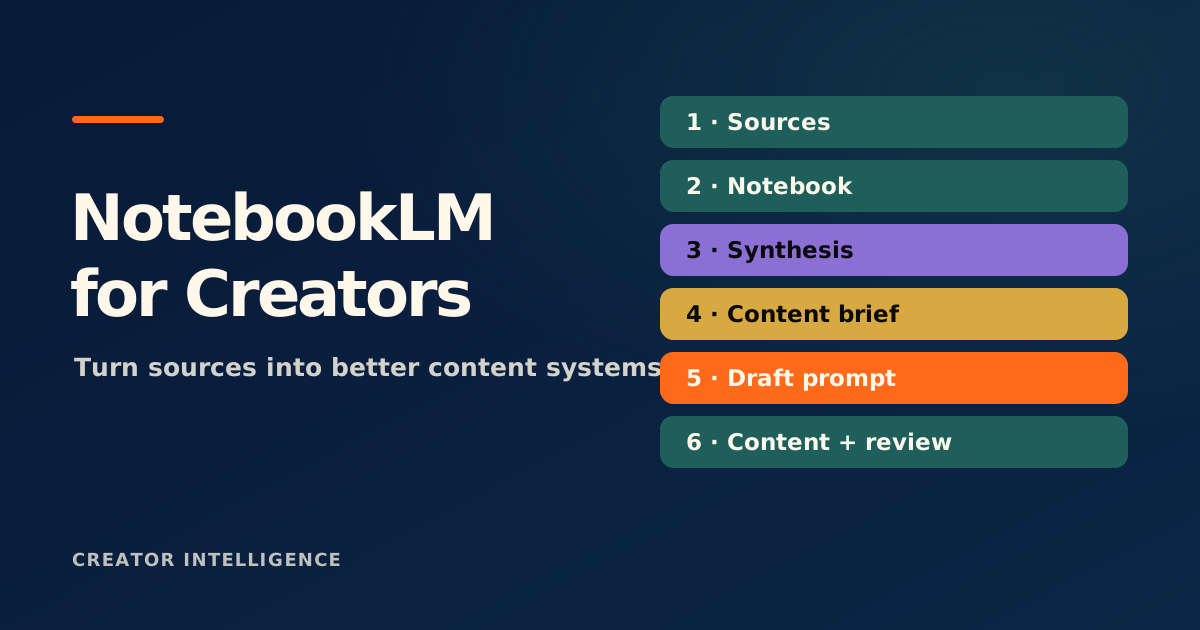
A pile of audience comments, two interview transcripts, and your own notes from past posts on the same topic — useful, but unshaped.
Working from those sources, you notice the same objection appears again and again in different words — something the obvious advice never addresses.
That recurring objection becomes your thesis: not a generic take, but a specific claim you can trace directly back to what real people said.
You turn it into a short content brief — the claim, the evidence from your sources, and the next step for the audience — that you could hand to yourself next week and still defend.
What it organizes — and what it must not decide
A research tool is genuinely good at the mechanical parts of thinking: gathering material in one place, surfacing connections across documents, and answering 'where did this come from?' Lean on it for that. The friction of organizing and cross-referencing sources is exactly the part worth removing, because it is what stops most creators from doing real research at all.
What it must not do is decide your opinion. The tool can show you what the sources say; it cannot tell you what to believe, what matters most, or what is worth saying to your audience. Outsource that and you are back to generic content, just with extra steps. The point of grounding your thinking in sources is to make your judgment better, not to replace it.
Use the tool to organize and connect your sources, never to hand you your opinion. The angle, the emphasis, and what is worth saying are judgment calls that have to stay with the creator.
Source quality and audience fit still matter
Grounding only helps if the ground is solid. Garbage sources produce confident, well-organized nonsense, so the quality of what you feed in still matters — your own firsthand material and credible references beat a pile of low-quality scraps every time. Source-grounded does not mean source-uncritical.
Audience fit is the final filter. A perfectly grounded angle that your audience does not care about is still a miss. The judgment of what is worth their attention — which grounded insight actually serves the people you are talking to — remains yours. The tool sharpens your thinking; it does not know your audience the way you do.