

Introduction
Introduction
When a creator is small, branding is easy to keep consistent because one person makes everything. The moment you need volume — a launch, a campaign, a week of coordinated assets — that consistency is the first thing to crack. Suddenly the colors drift, the voice wobbles, and a campaign that should feel unified looks like it was assembled from spare parts.
Pomelli, an experimental tool from Google Labs, is aimed at that exact problem: generating campaign assets that stay anchored to a brand's signals. Used well, it protects consistency at volume. Used carelessly, it produces a lot of slightly-off assets fast. This guide is about the disciplined version — turning a brand into repeatable campaign direction while keeping a human firmly in charge of the brand itself.
The quiet cost of inconsistent branding
Inconsistent branding rarely announces itself. There is no single broken asset, just a slow erosion: a slightly different shade here, an off-voice caption there, a campaign where each piece feels almost-but-not-quite related. The audience may not name it, but they feel it. Consistency reads as competence and care, and its absence quietly signals the opposite.
For a creator, that perception has a price. A consistent brand looks more established and more trustworthy than an inconsistent one, even when the underlying work is identical. So the goal of a tool like Pomelli is not to make branding fancier; it is to stop the erosion that happens the moment you try to produce more than one person comfortably can.
Turning a brand into repeatable campaign direction
The useful idea behind Pomelli is that your brand already contains a direction — in your site, your colors, your voice, the way you talk about your work. Captured as reusable signals, that direction can be applied again and again instead of being re-decided for every asset. This is the difference between having a brand and being able to operate it at scale.
That reframe matters because it sets the right expectation. The tool is not there to invent who you are; it is there to take who you already are and carry it across more surfaces consistently. The creator supplies the identity and the judgment. The system supplies the repetition. Get that division right and you scale your output without diluting your brand.
One-off assets vs a campaign system
The gap between making assets one at a time and running a campaign system shows up most clearly when you need volume. The examples below contrast the two approaches across the dimensions that actually bite when you scale.
One-off: five separate efforts, each starting from a blank page and a fresh set of decisions. A system: one brand direction applied five times, so the decisions are mostly already made.
One-off: quality and on-brand-ness slip as you tire and rush. A system: the direction holds because it does not depend on you re-deciding it under pressure.
One-off: doubling the assets roughly doubles the effort. A system: more assets mostly means more applications of the same direction, so effort grows far slower.
One-off: nothing — you start over next campaign. A system: your brand direction and templates get sharper and faster each time you reuse them.
A single campaign cycle, end to end
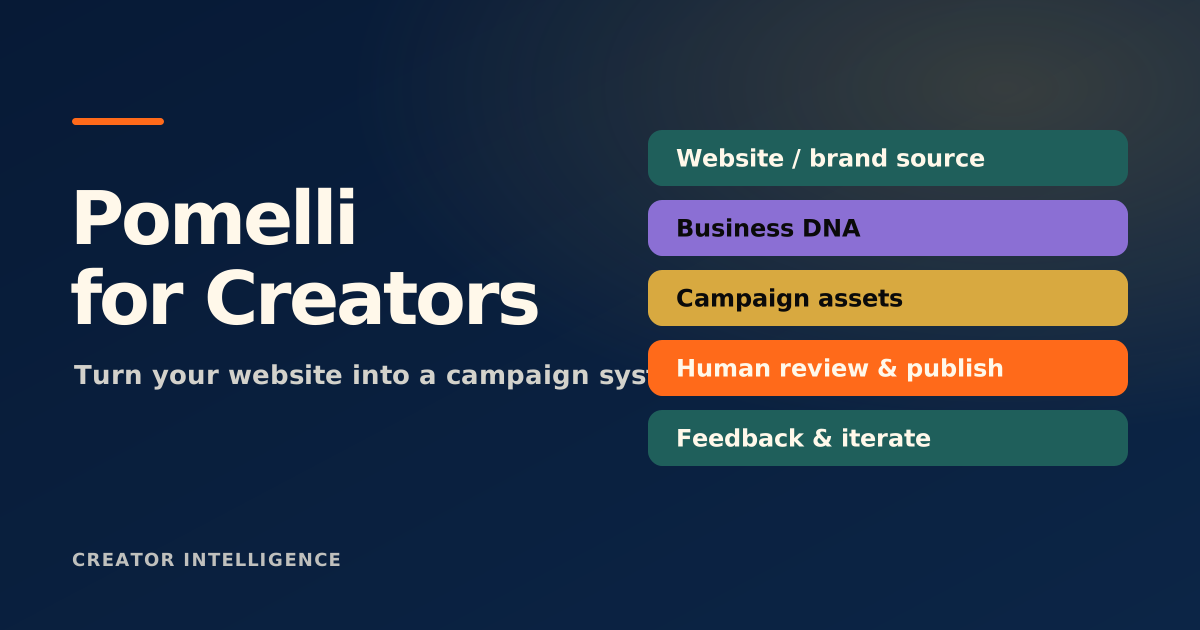
A disciplined Pomelli workflow runs as a short, repeatable cycle rather than a scramble. Each campaign moves through the same stages, which is what keeps the output consistent even as the subject changes.
Brand input: confirm the signals — voice, look, key messages — the campaign should stay anchored to.
Campaign angle: decide the single idea and audience this specific campaign is about.
Asset set: generate the pieces the campaign needs, all drawing on the same brand direction.
Review: run every asset through a human gate for accuracy, tone, and brand fit before anything ships.
Refinement: note what drifted or underperformed and tighten the direction for the next cycle.
Why the brand owner stays in the loop
A tool can apply your brand; it cannot own it. The decisions that define a brand — what you stand for, what you would never say, where the line between on-brand and off-brand actually sits — are judgment calls, and they are exactly what an audience bonds to. Hand those to a tool and you scale assets while quietly losing the thing that made them worth scaling.
So treat generated assets as drafts, not finished work. Speed is the benefit; review is the safeguard. The creators who get the most from this kind of tool are the ones who let it carry the repetitive load and reserve the brand judgment — the final yes or no on every asset — for themselves.
Generated campaign assets are drafts. Keep a human review gate on every one for accuracy, tone, and brand fit — the tool scales the work, but the brand owner has to keep the judgment.