

Introduction
Introduction
The most common way creators waste weeks is building before they validate. The idea feels exciting, so they design the whole page, write all the copy, and polish every detail — and only then find out whether anyone actually wanted it. By that point, the sunk cost makes it hard to walk away from a weak idea.
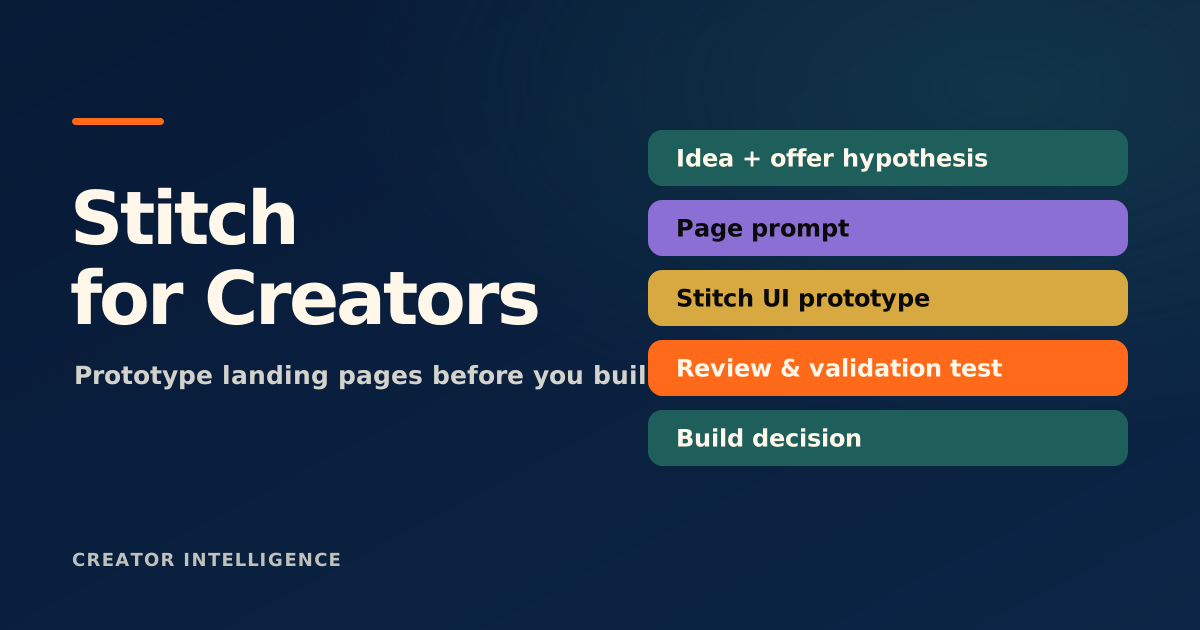
Stitch, an experimental tool from Google Labs, is useful precisely because it makes the rough version cheap. You can stand up a landing page or product surface fast enough to test the idea while it is still cheap to be wrong. This guide treats Stitch as a validation tool: how to use a prototype to make a go or no-go decision, and how to read the signal honestly.
Creators overbuild before they validate
Building feels like progress, which is exactly why it is dangerous early on. A finished page, polished copy, and a payment button all create the comfortable illusion that the hard part is done — when the only question that matters, whether anyone wants this, is still unanswered. The more you build, the more invested you become, and the harder it gets to kill an idea that is not working.
Validation flips the order. Instead of building and hoping, you decide what would convince you the idea is real, create the smallest thing that could test it, and let the response make the call. The goal in the early stage is not a great page. It is a clear answer.
A prototype is a decision, not a deliverable
A prototype has one job: to help you decide what to do next. It is not a smaller version of the final product; it is an instrument for learning. That reframe changes how you build it. You stop polishing details that do not affect the decision and focus entirely on the parts that test whether the idea holds — the promise, the offer, and whether anyone takes the next step.
This is why speed matters more than fidelity here. A prototype you can stand up in an hour, show to real people, and change the same day teaches you far more than a beautiful page that takes a week. With a tool like Stitch, the point is to reach a testable version fast, then let what you learn decide whether the polished version is even worth building.
What a landing-page prototype should answer
Before you build, decide what the prototype is supposed to tell you. A prototype built to answer specific questions produces a decision; one built to look nice just produces a nice-looking page. Use a checklist like this to keep it honest.
Is the core promise clear in five seconds to someone who has never heard of you?
Does the offer make sense — is it obvious what someone gets and why it is worth it?
Will anyone take the next step, whether that is a click, a sign-up, or a pre-order?
Which headline or angle gets a response, if you are testing more than one?
What objection or confusion comes up that you did not anticipate?
A prototype that looks great but that no one acts on has still failed the only test that matters. Do not mistake a polished page for proof of demand — the signal is behavior, not aesthetics.
Reading early signal honestly
The hardest part of validation is not collecting signal; it is reading it without flattering yourself. Polite encouragement from friends is not demand. 'Looks great' is not a purchase. The signals worth trusting are the ones that cost the other person something — their email, their place on a waitlist, a pre-order, or a genuinely specific question about how to buy.
Be just as honest about weak signal. If people glance and leave, if no one takes the next step, or if the most common reaction is mild confusion, that is information, not failure. It usually means the promise is unclear or the offer is off — both fixable in a prototype, and both far cheaper to fix now than after you have built the real thing.
When to graduate from prototype to a real page
A prototype has earned a real build when it has produced a clear, repeatable signal: people consistently take the next step, the promise lands without explanation, and the questions you get are about buying rather than about what the thing even is. That is the moment to invest in the polished page, the proper copy, and the real infrastructure.
Until then, resist the pull to upgrade. Every hour spent polishing an unvalidated idea is an hour you cannot spend testing the next one. The discipline of staying in prototype mode a little longer than feels comfortable is what separates creators who ship validated offers from creators who ship beautiful pages nobody asked for.